
How cleaners use Kathari
From the moment a job arrives to the final submit — step by step.
Step 1
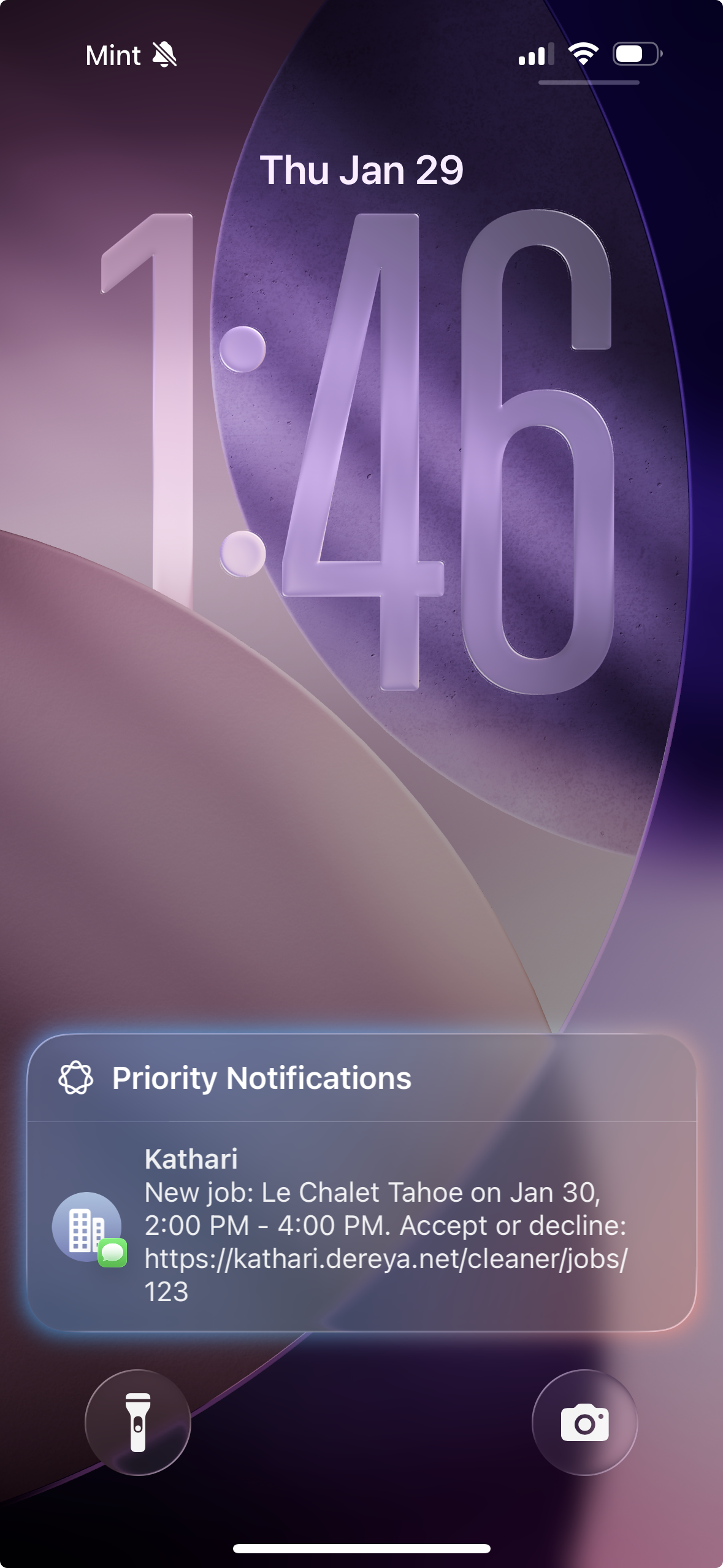
You get a text
When an owner schedules a job, you get an SMS with property, date, and pay details. Morning-of reminders arrive here too.
Step 2
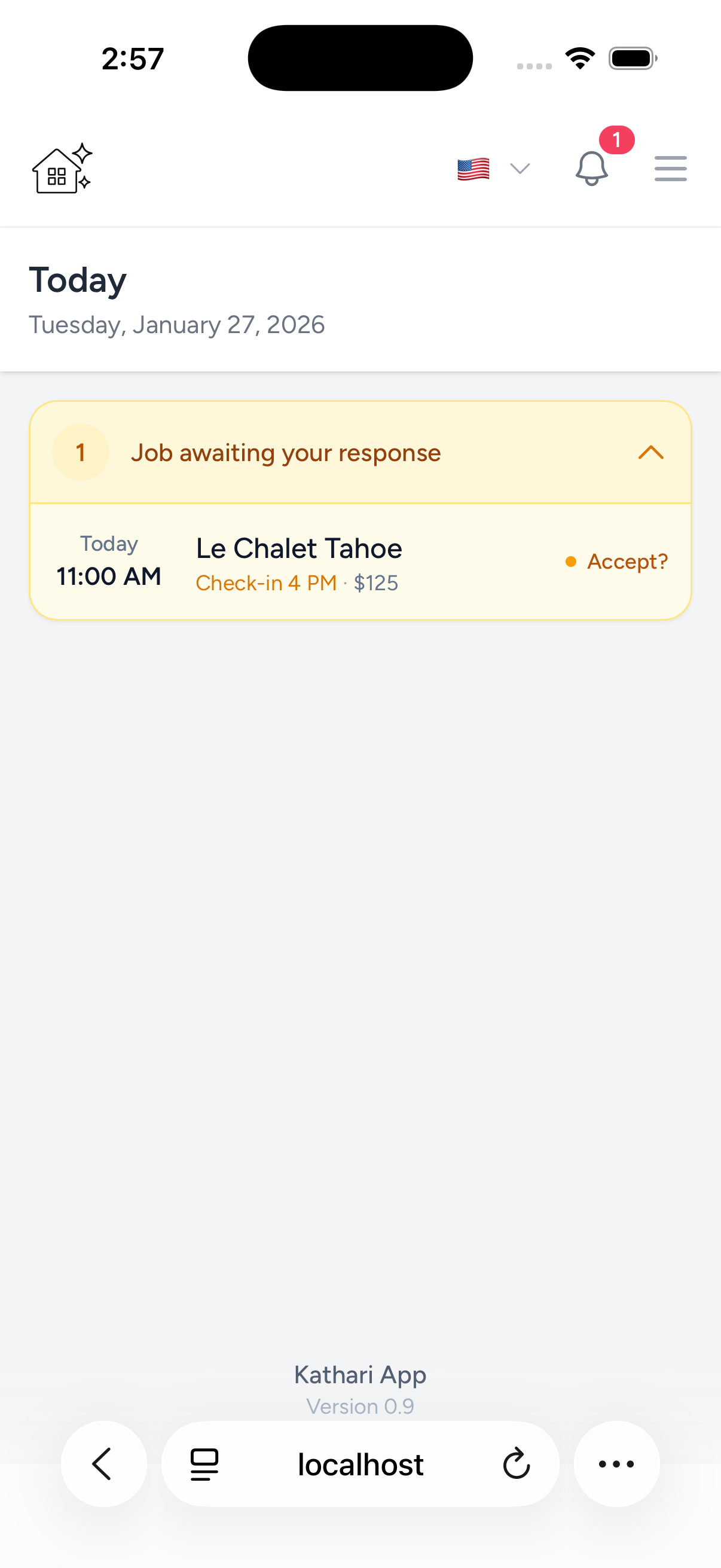
A new job arrives
The job appears on your dashboard, alongside other owners' jobs, so everything stays in one place.
Step 3
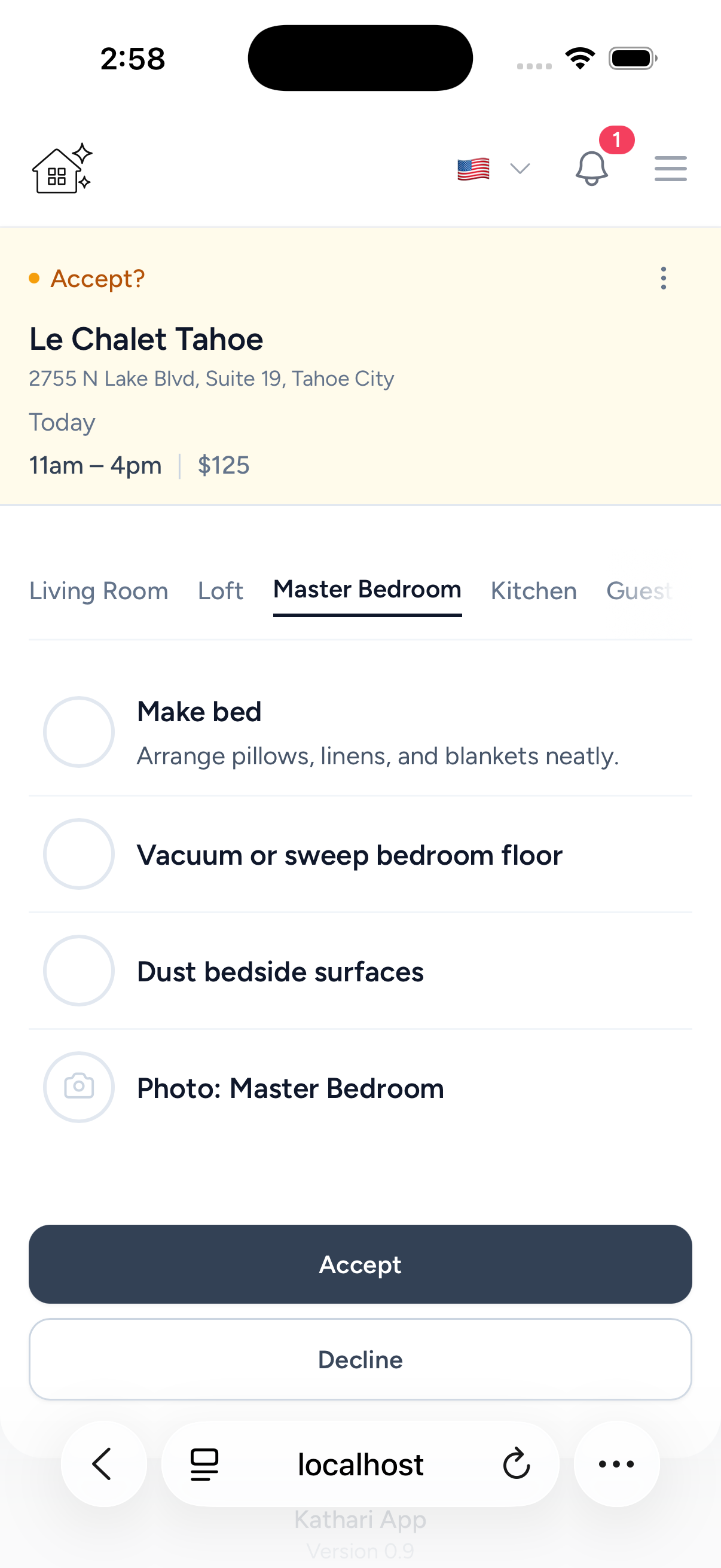
Preview the job
See rooms, tasks, and photo requirements before accepting so expectations are clear upfront.
Step 4
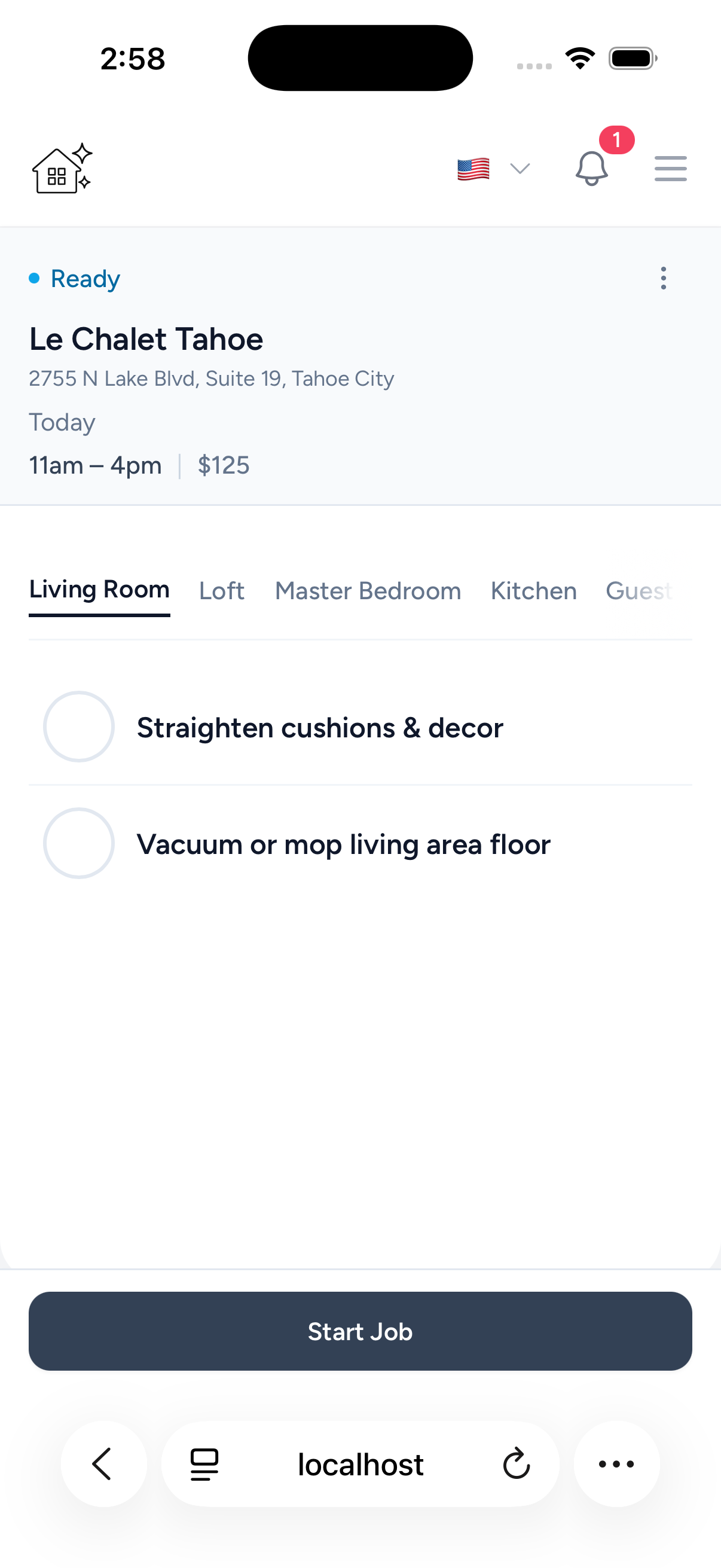
Accept and get ready
Accept to lock it in, then tap Start Job when you arrive at the property.
Step 5
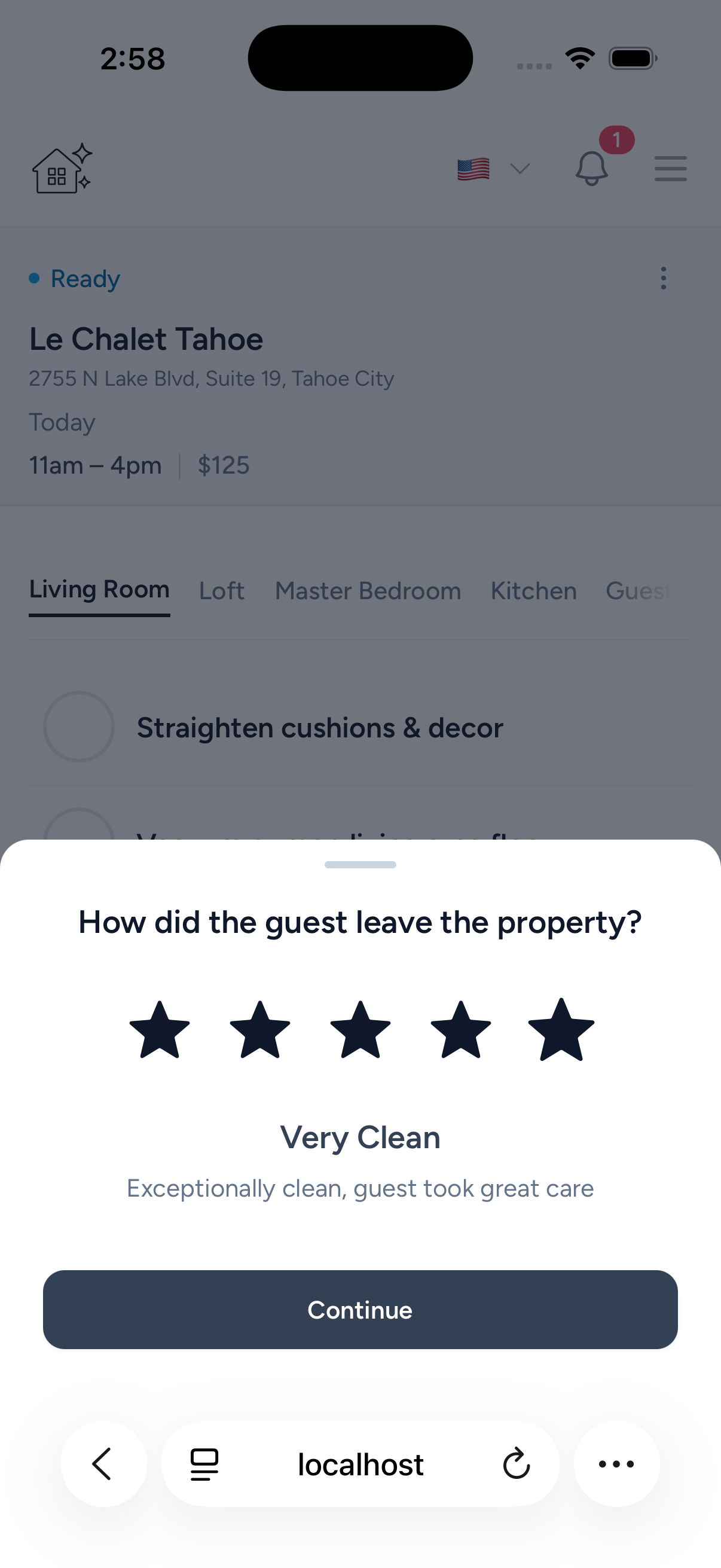
Rate the guest's condition
Log how the guest left the property to protect both owners and cleaners.
Step 6
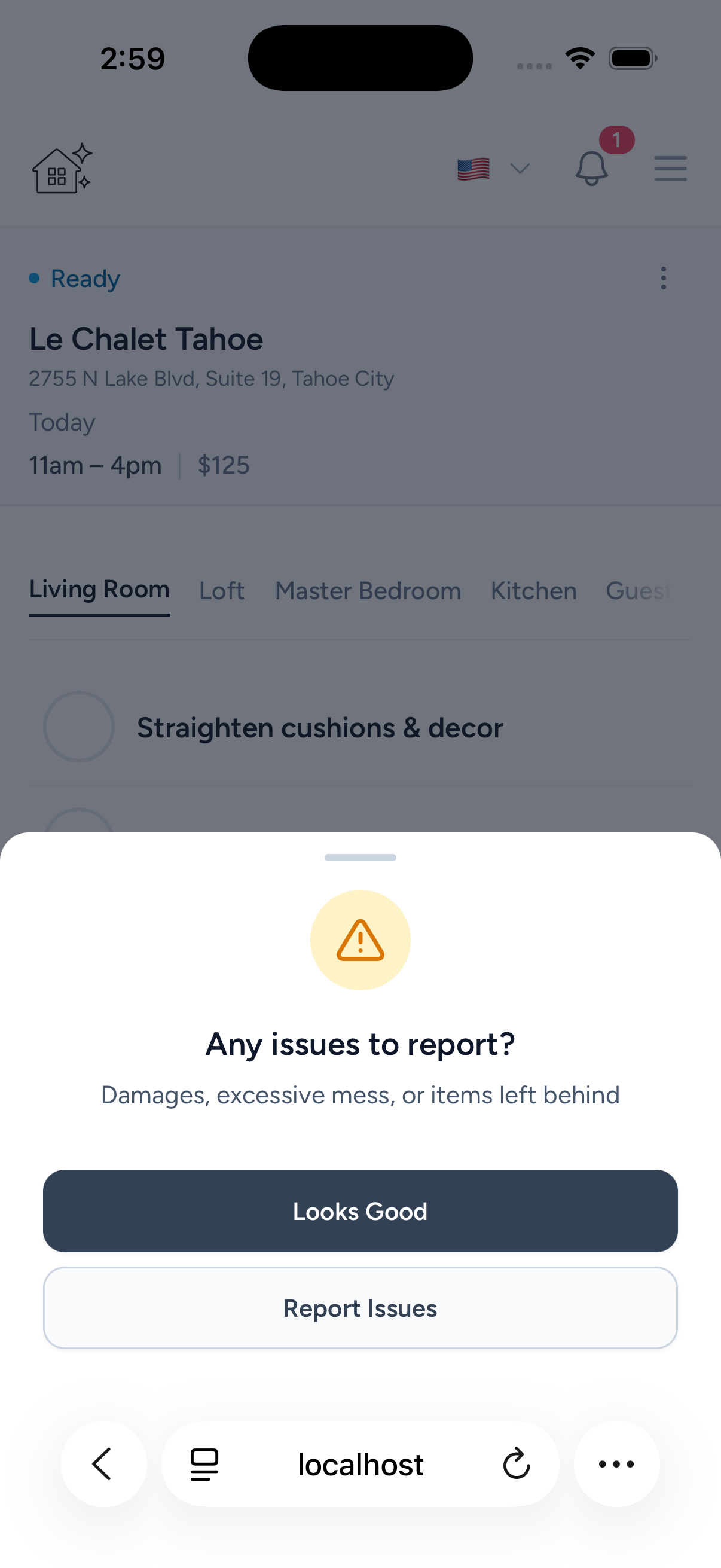
Flag anything unusual
Spot damage or excessive mess? Report it with notes and photos before you start.
Step 7
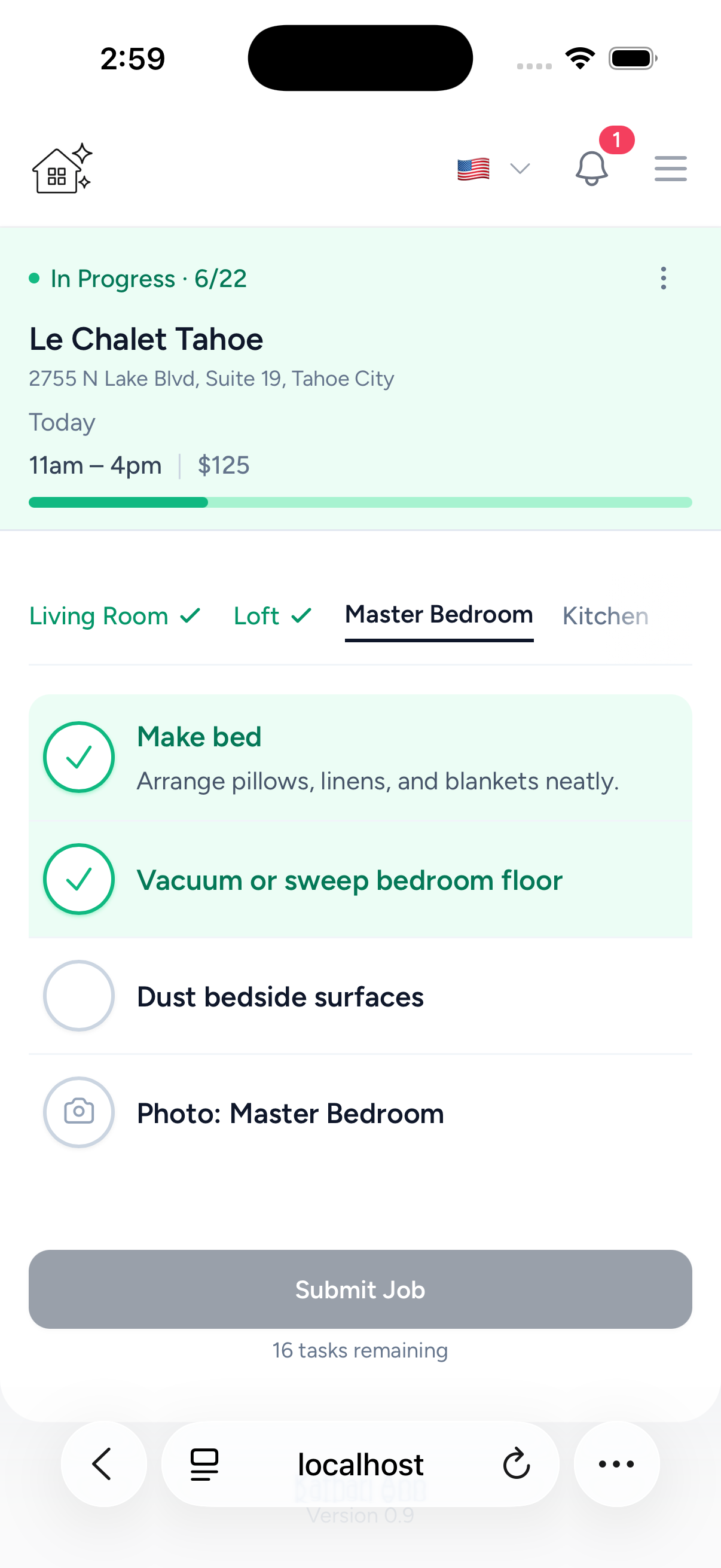
Work through the checklist
Check off tasks room by room in your preferred language. Progress updates in real time.
Step 8
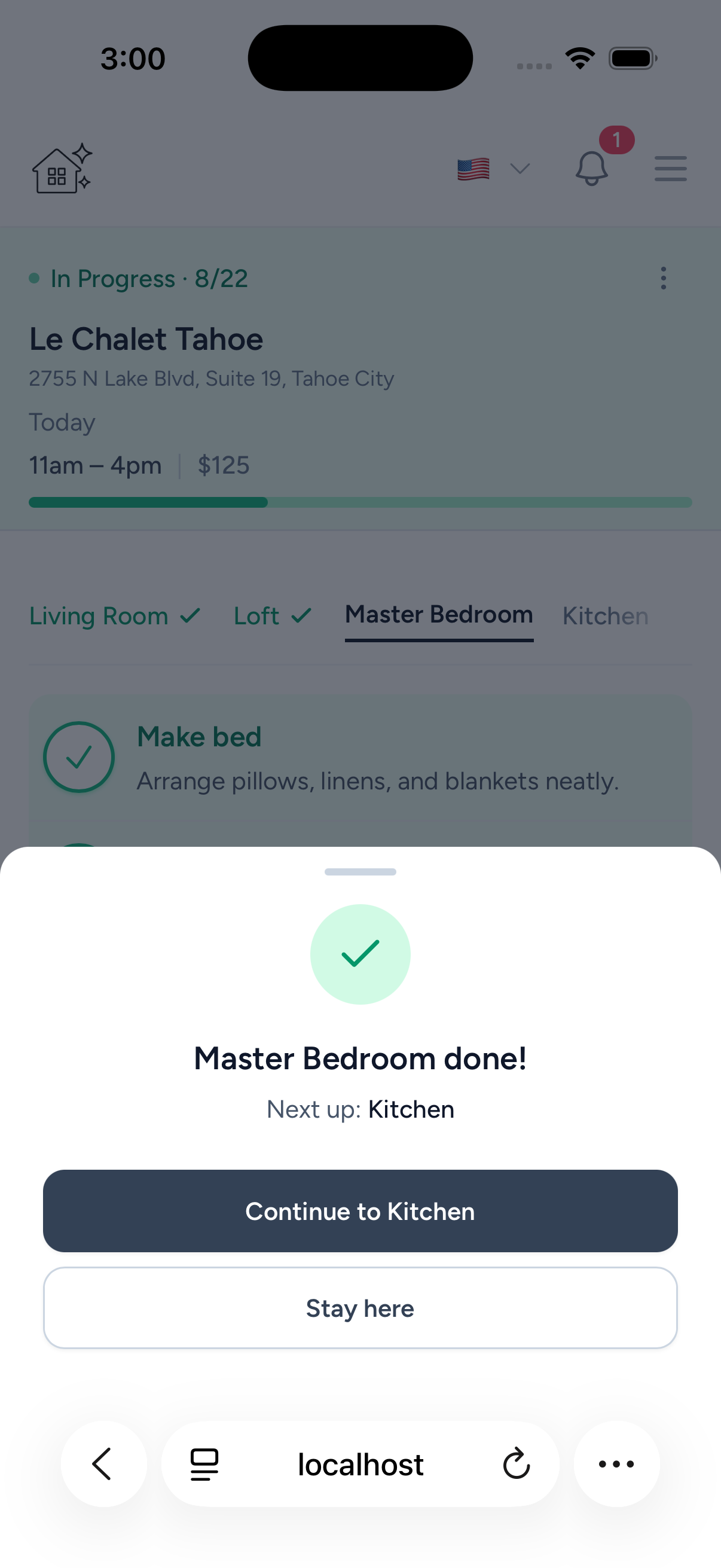
Room by room
Move room to room with clear task order and photo proof, with no confusion across different owners.
Step 9
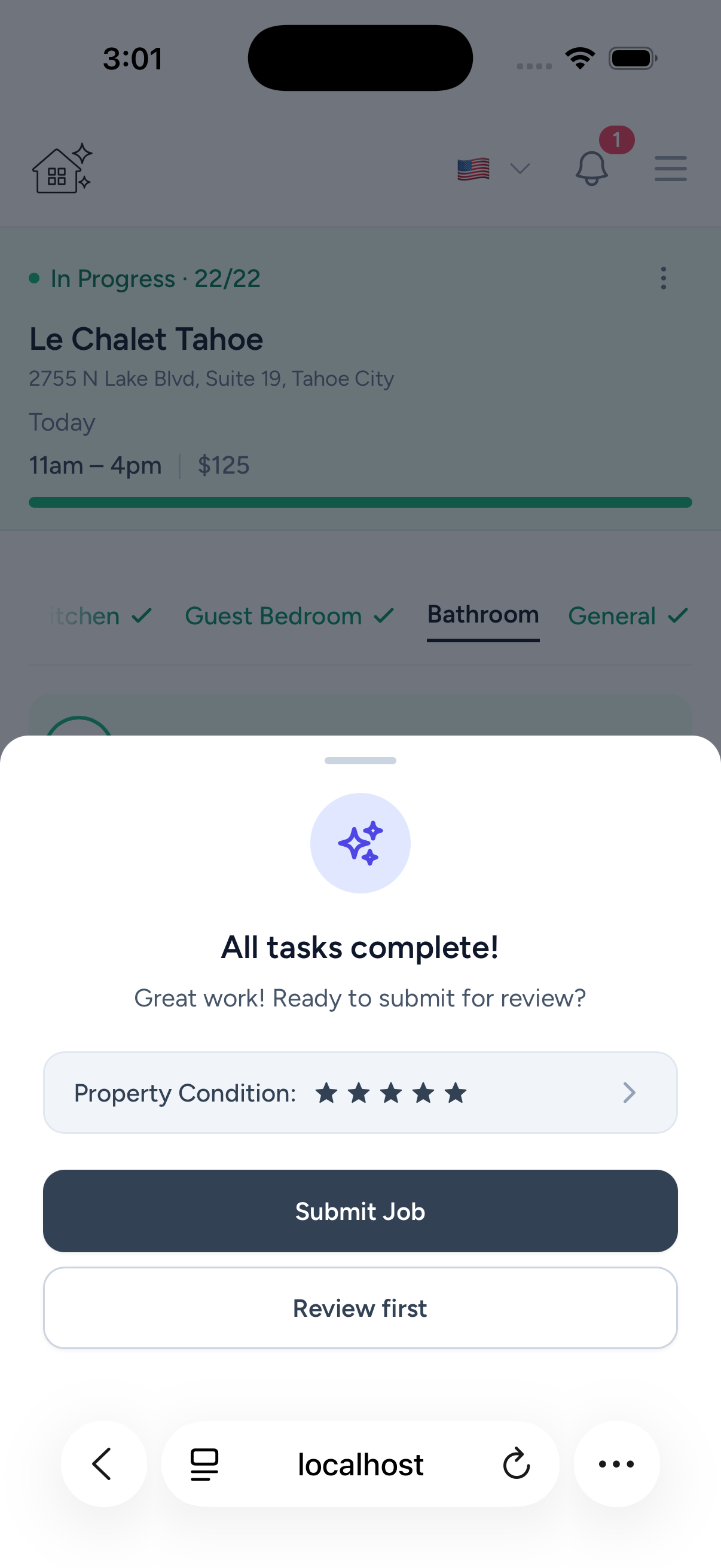
Submit and you're done
Submit when complete. Owners get notified, and your completed work and earnings stay tracked.
For owners
Want your cleaner to work like this?
Use your current cleaner, keep everyone aligned with reminders and photo proof, and stop chasing status updates.
Ready to take your first job?
Accept jobs, work through checklists, and track earnings from your phone.
Free for cleaners. No app required for external one-off jobs.
Questions? [email protected]