A booking. A clean. A report.
From a guest's booking to the cleaner getting paid. End to end, both sides.
A booking comes in
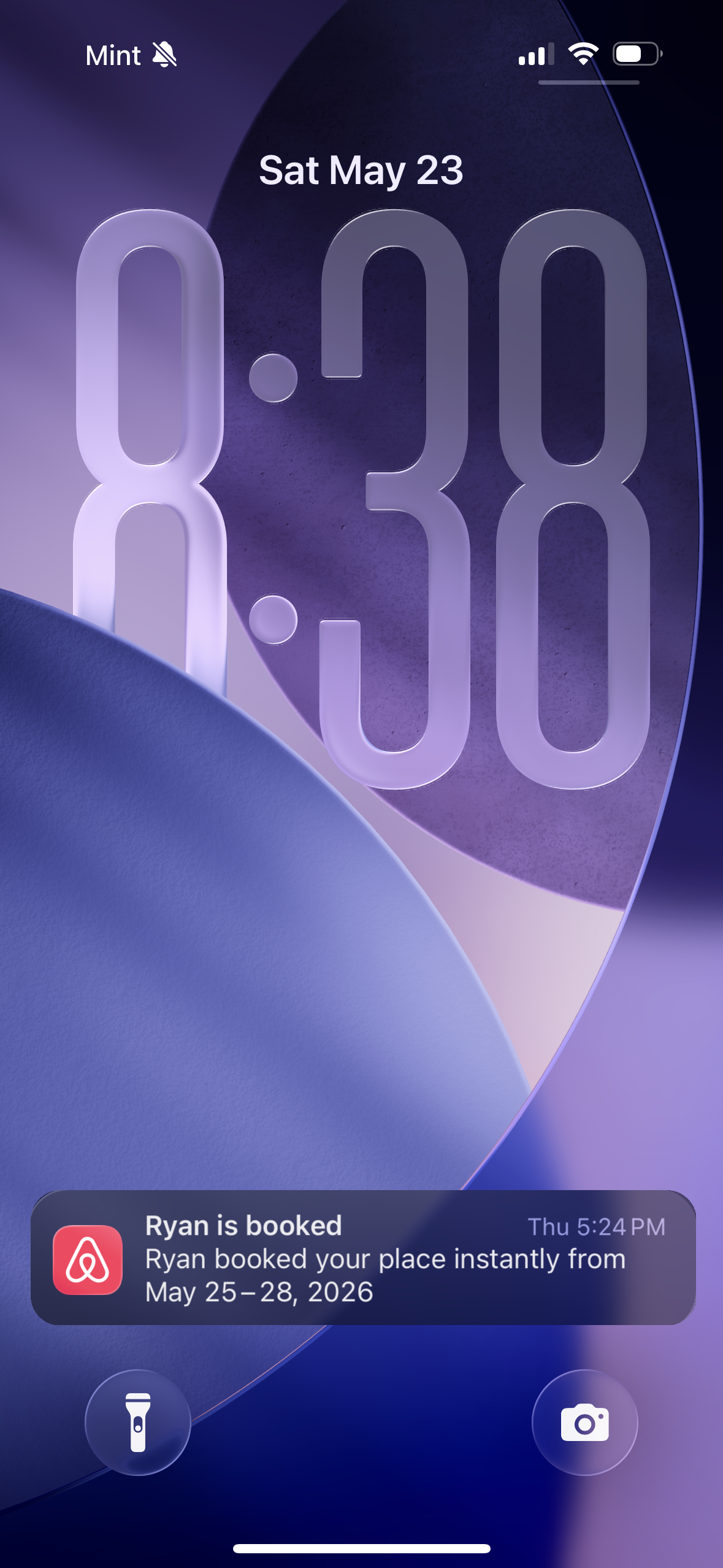
Ryan books Marco's Beach House for May 25–28. The Airbnb notification lands on Marco's phone, and Kathari quietly creates the cleaning job for the morning of May 28.
Ana receives and accepts
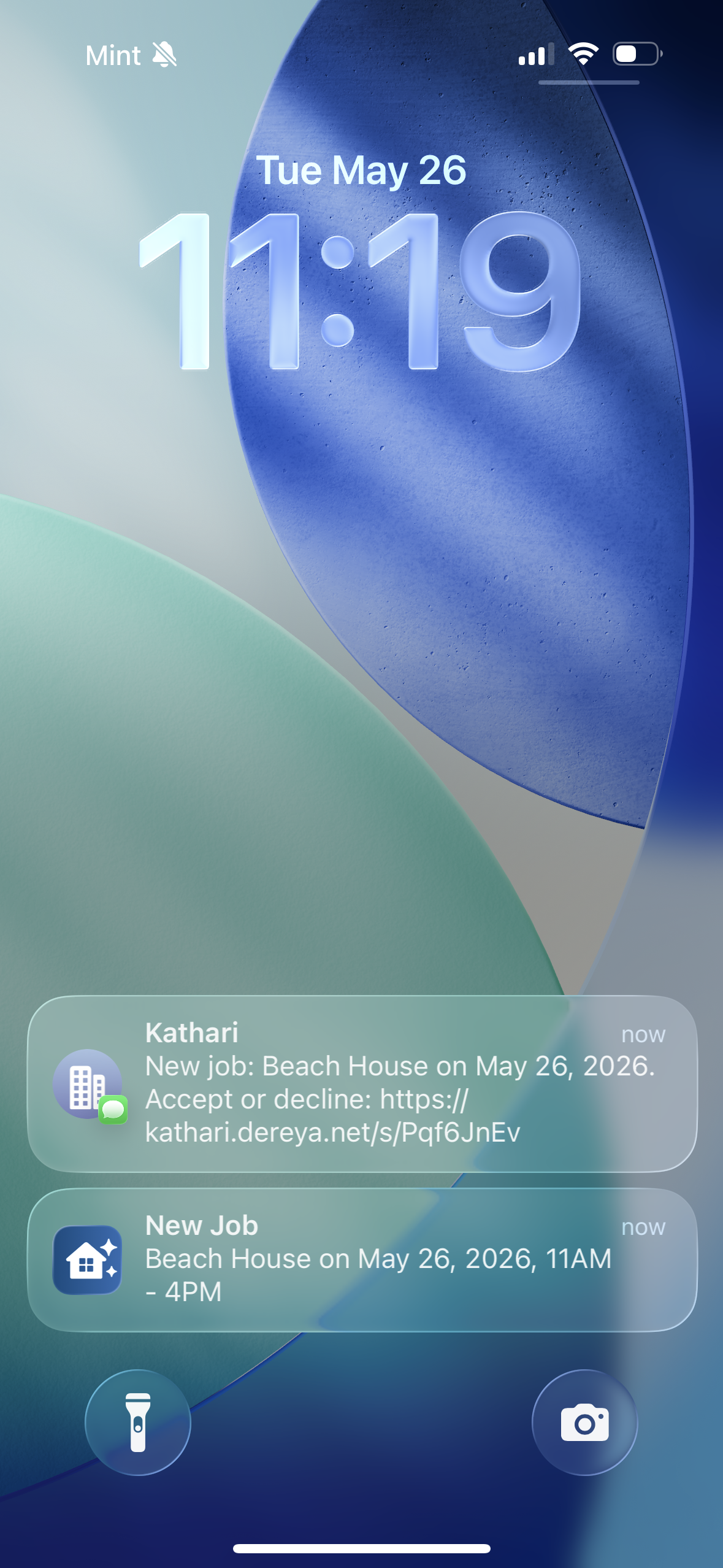
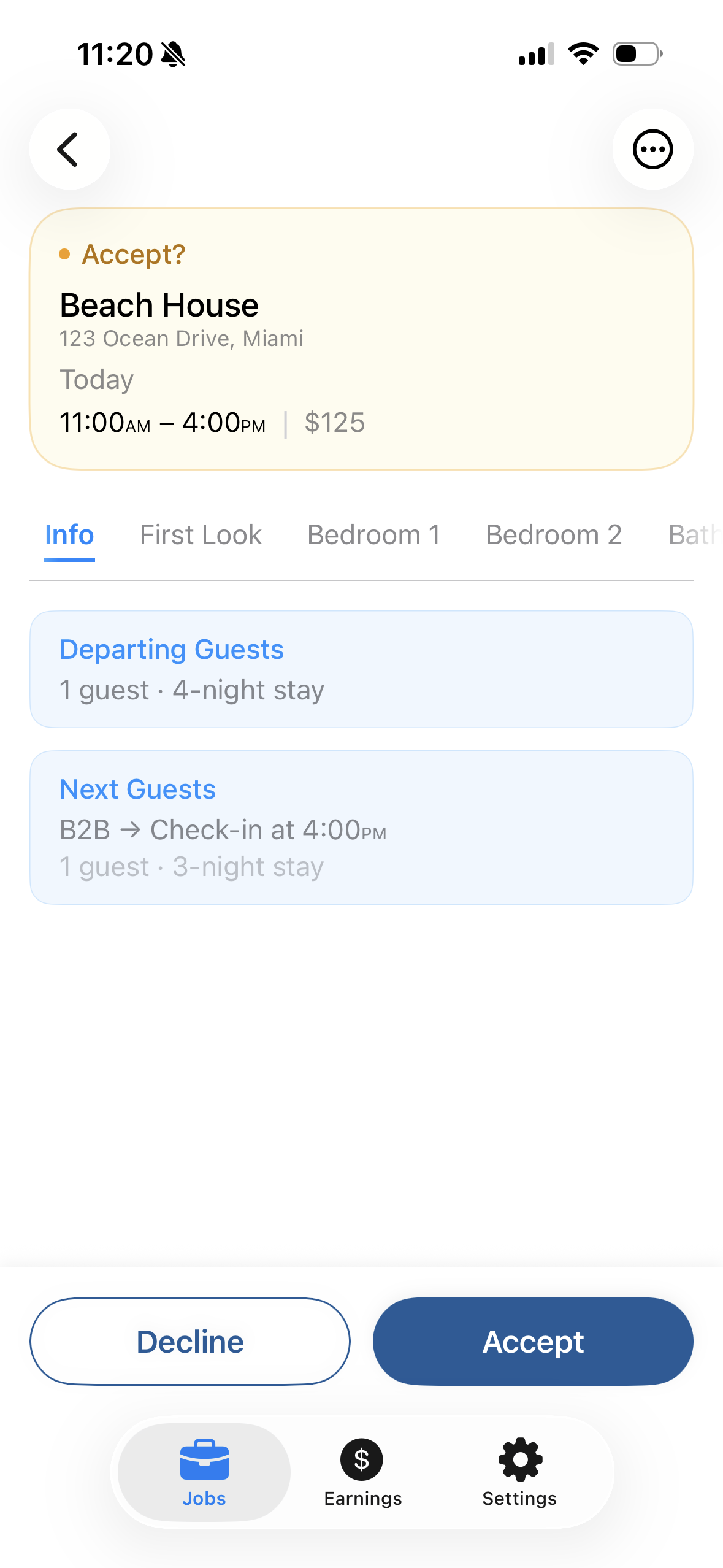
A push and a text both land on Ana's phone: a new cleaning at Beach House on May 26. She reviews the property, checklist, and pay; one tap accepts.
The cleaning happens
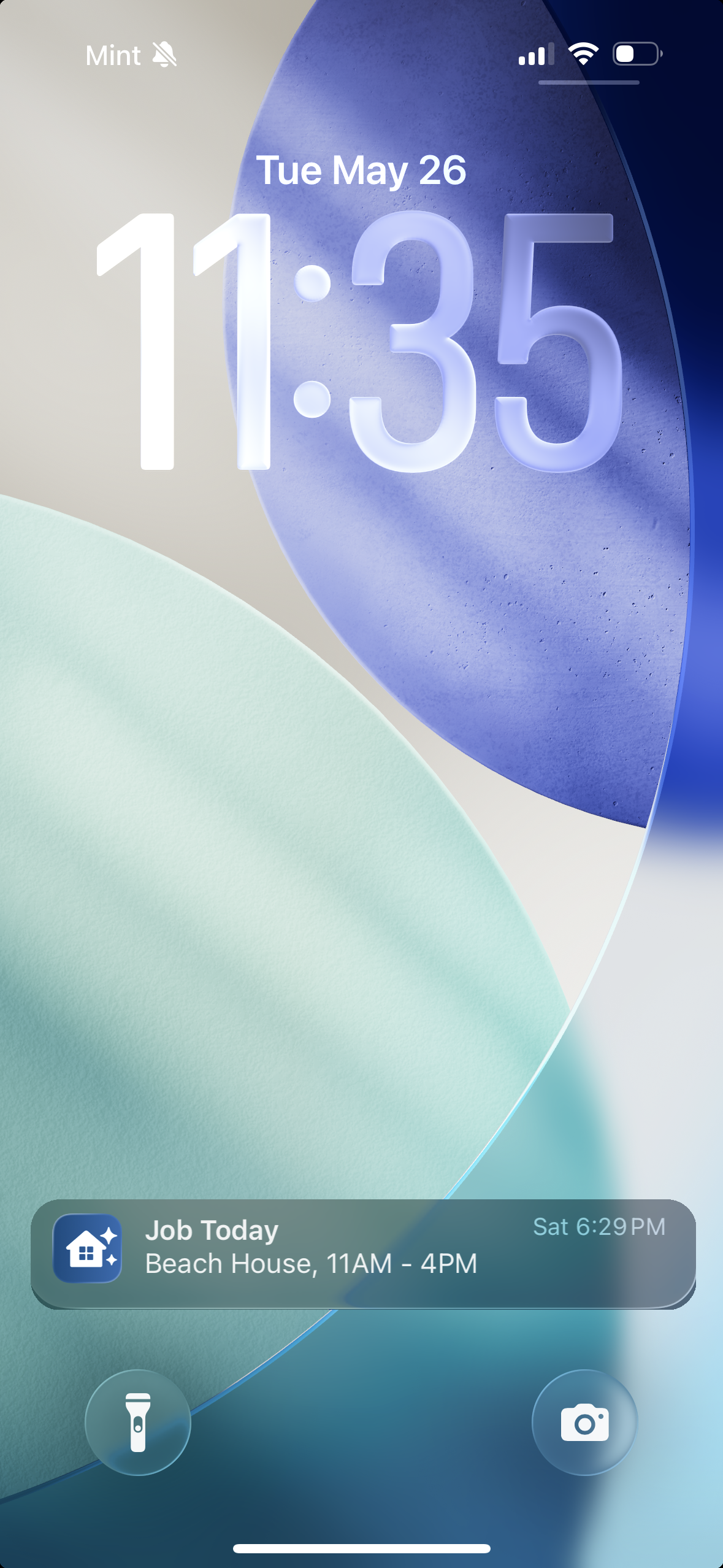
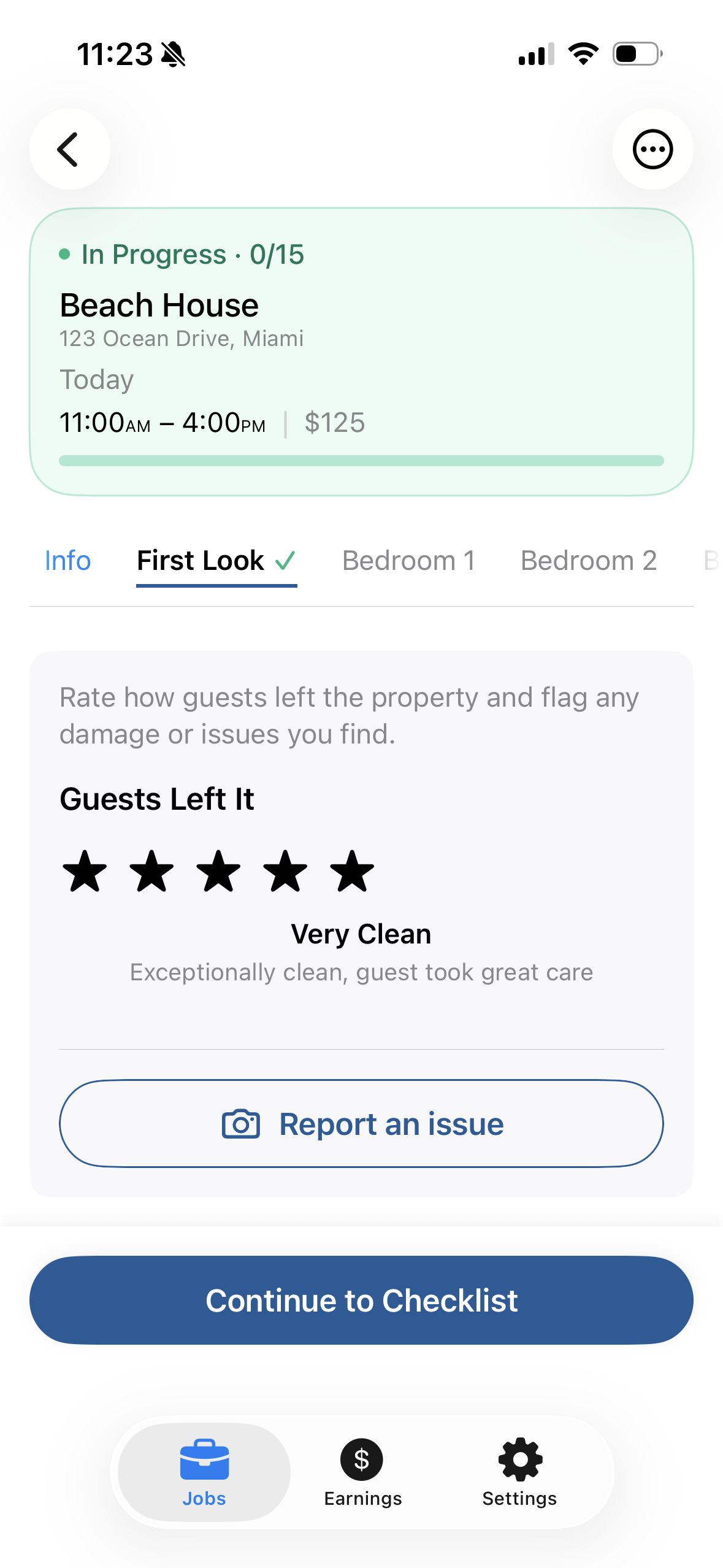
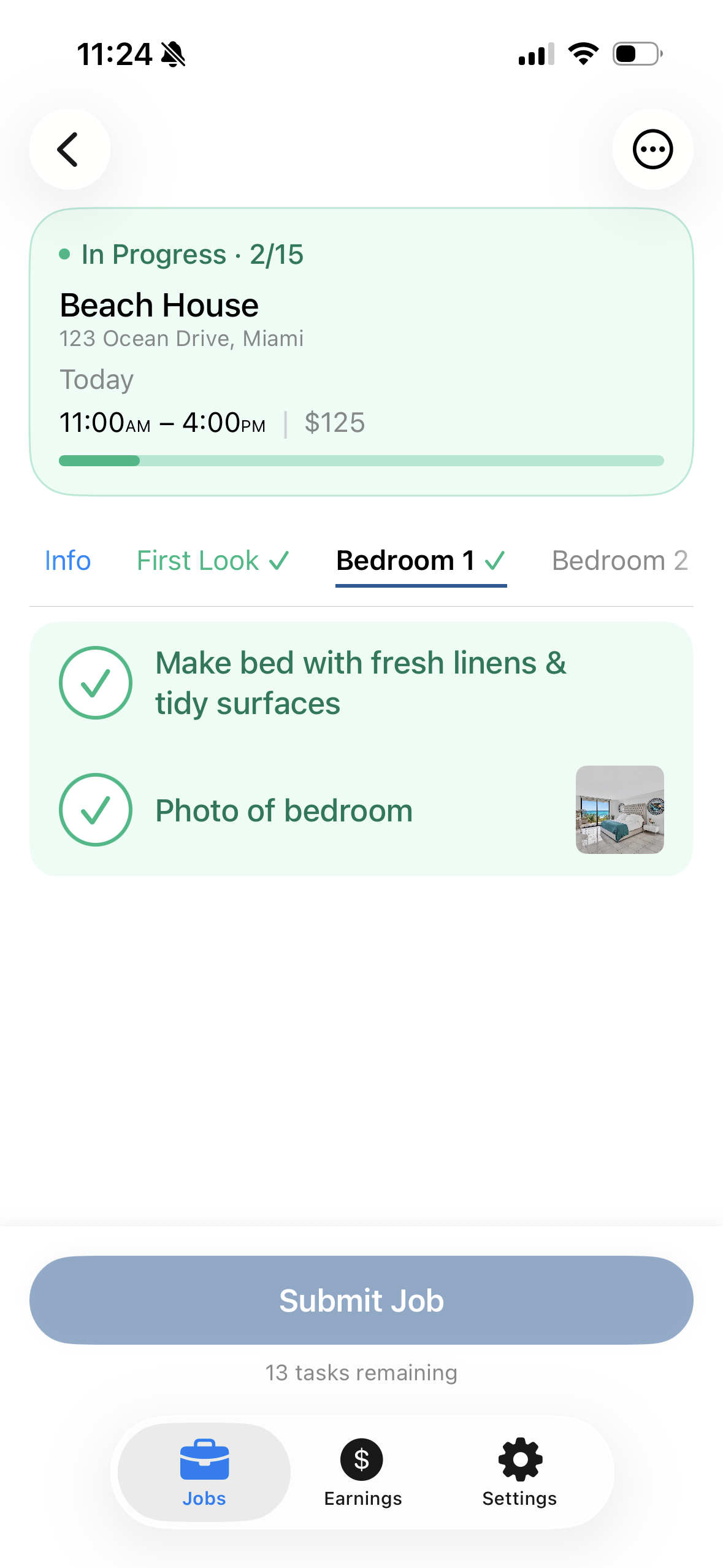
On the day of the cleaning, Ana gets a morning-of reminder. She rates how the guests left the place, flagging any damage with a photo, then works the checklist room by room with photo proof where required, and submits when done.
The report opens
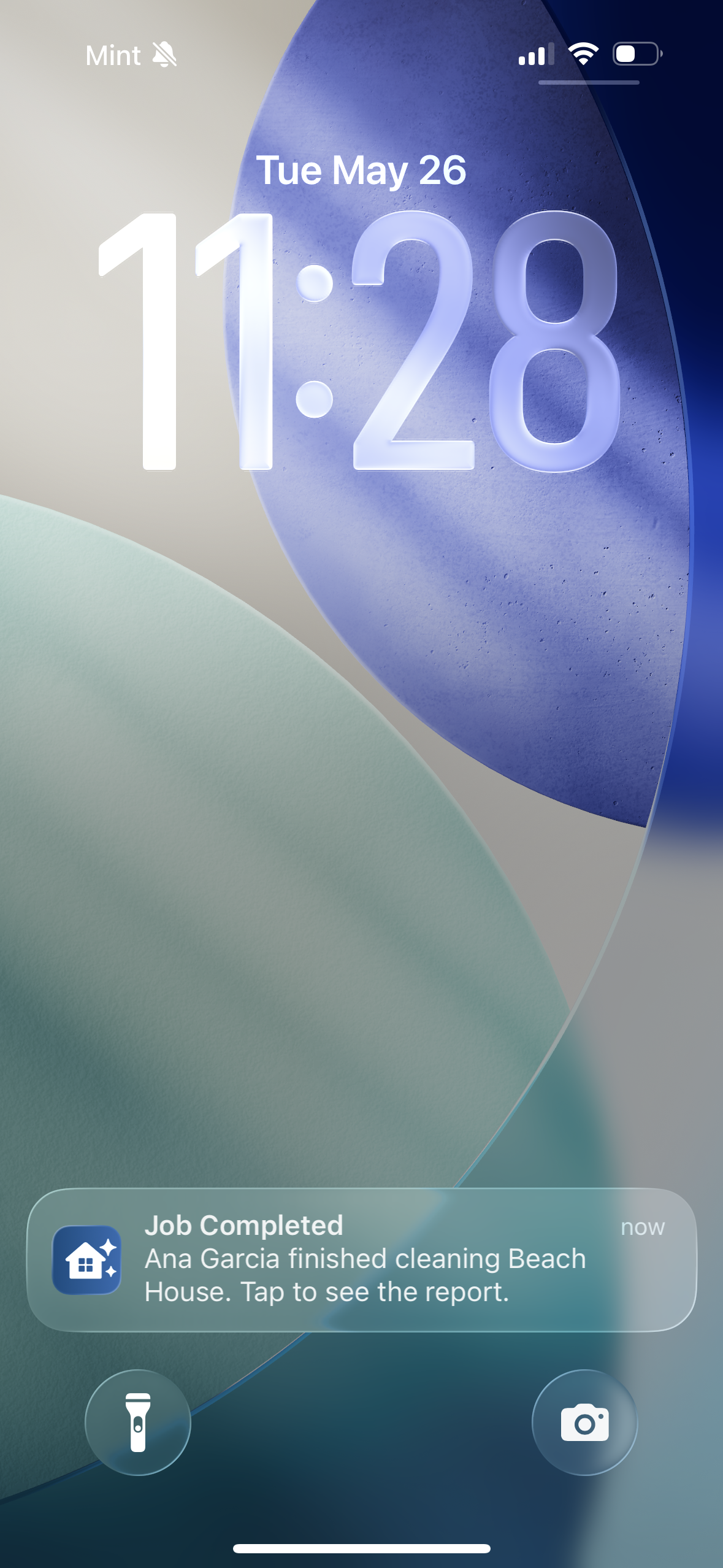
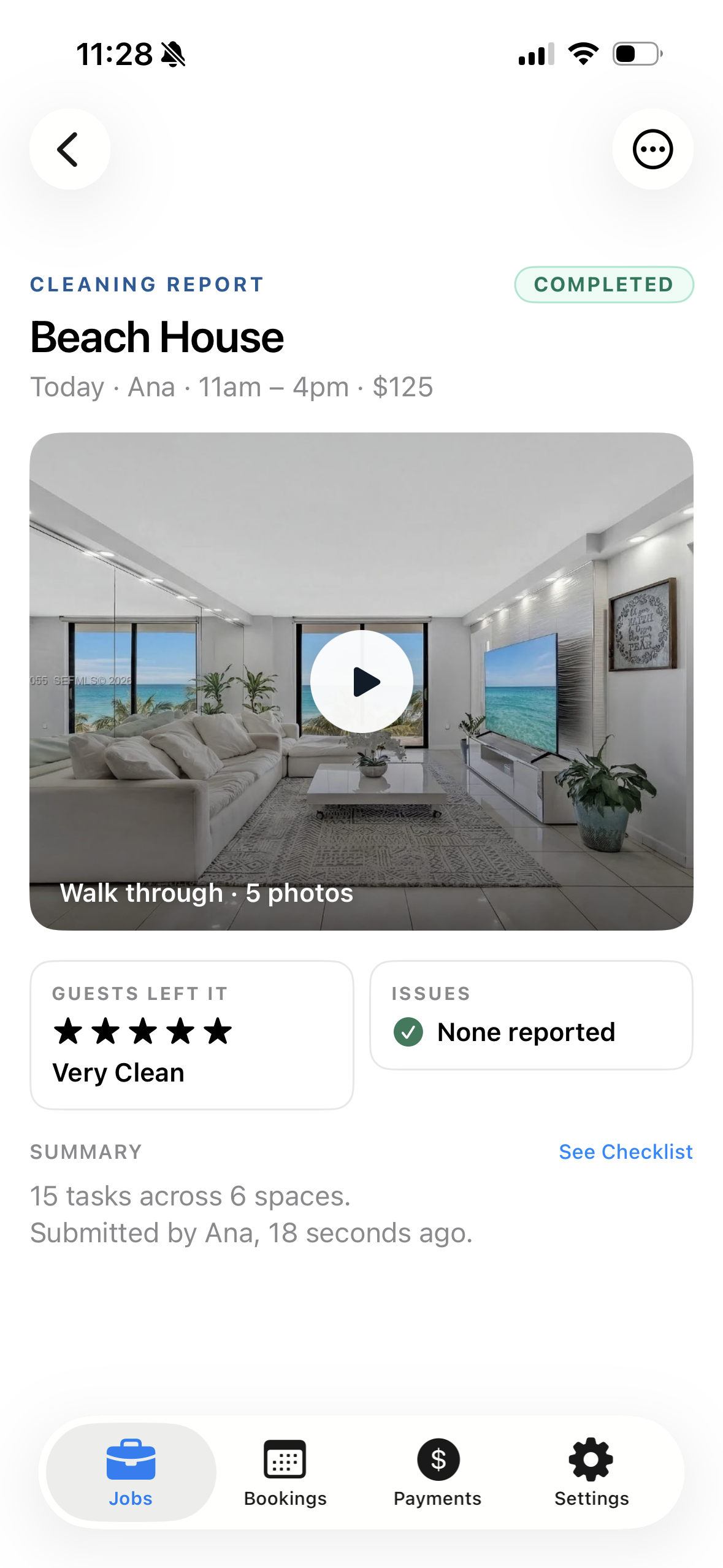
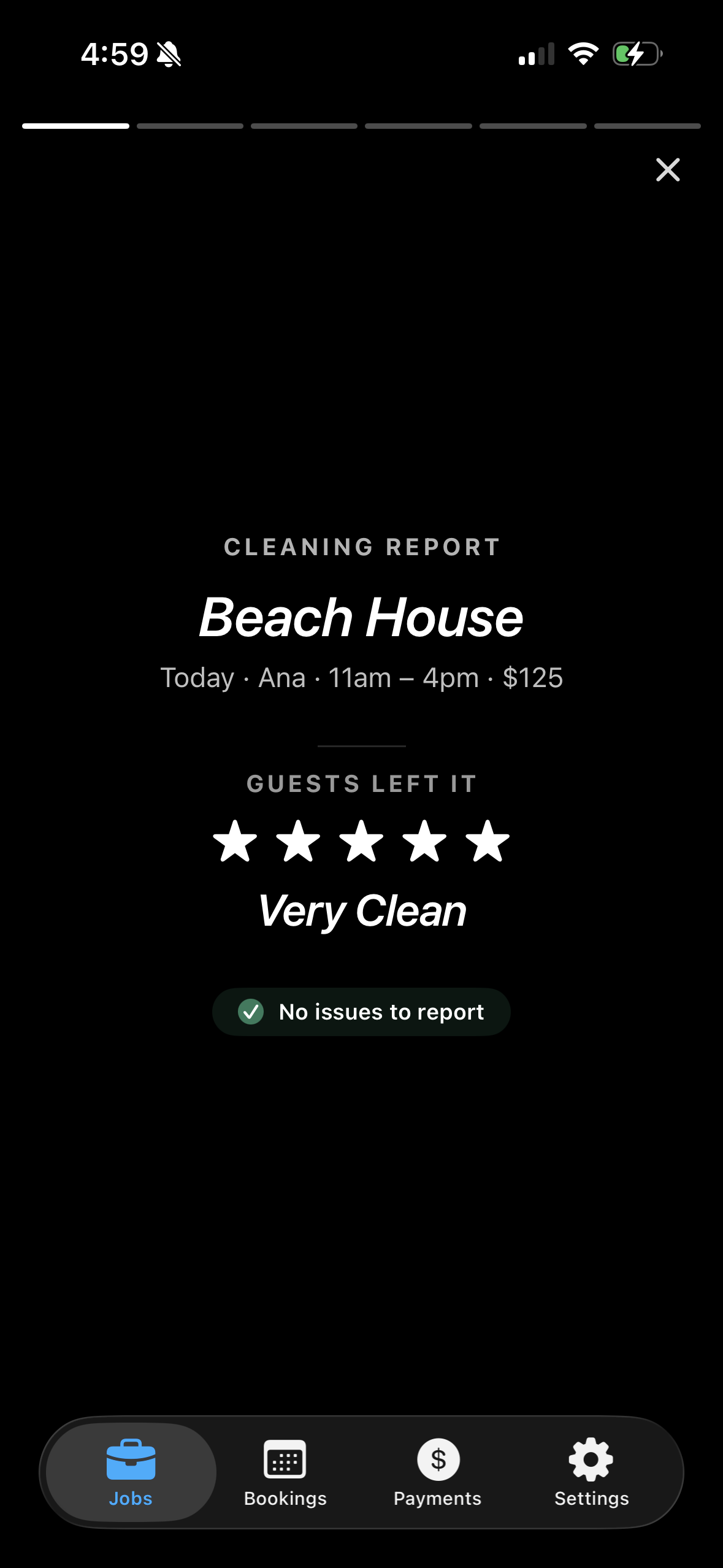
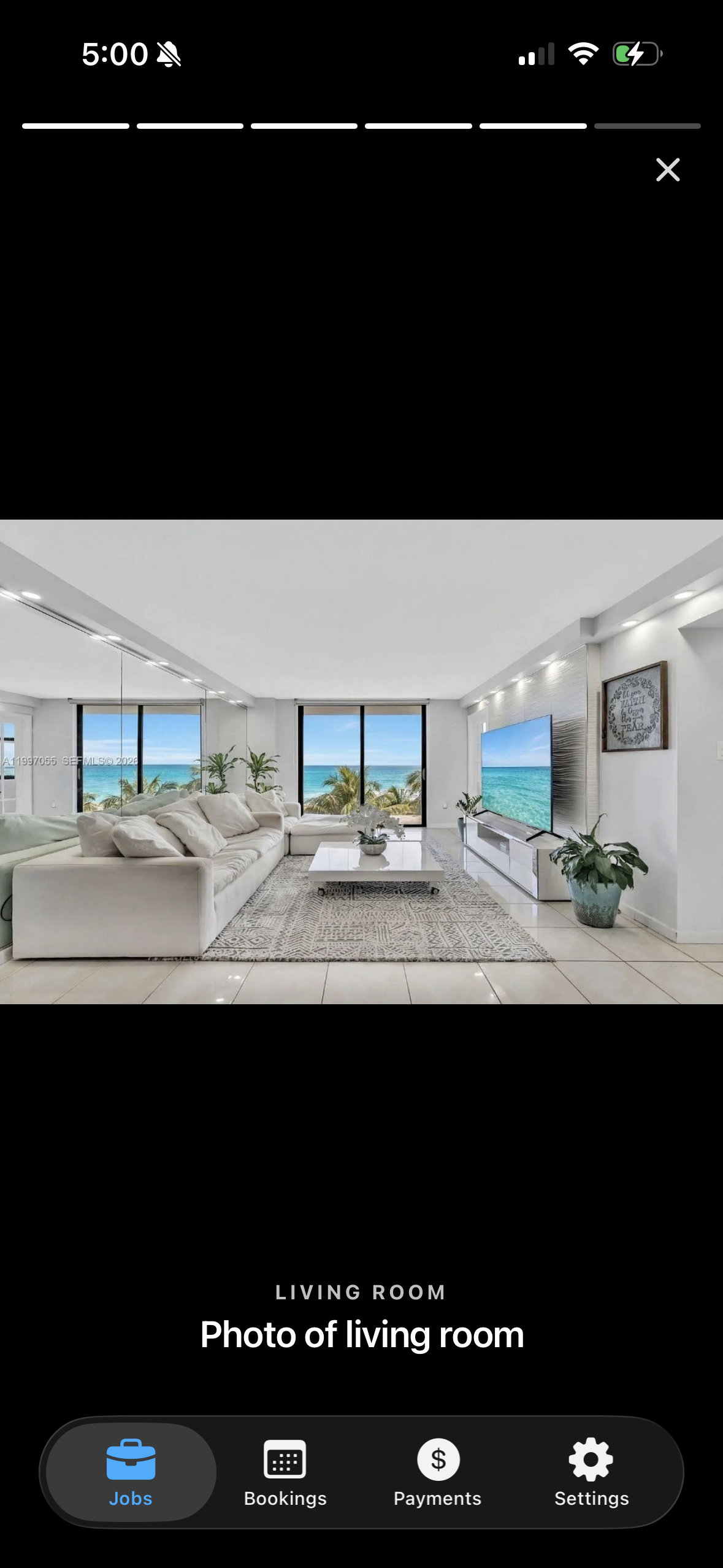
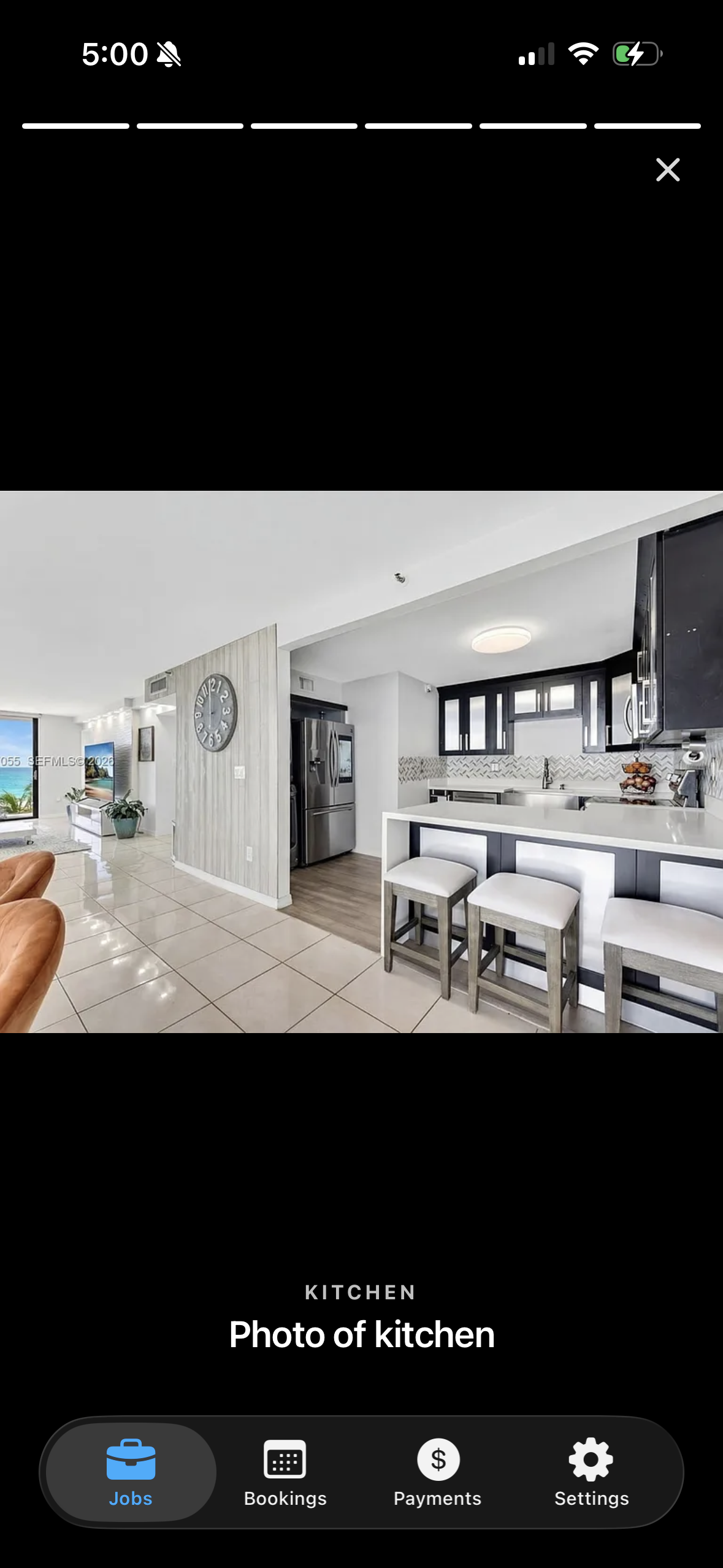
A notification reaches Marco: "Ana finished cleaning Beach House." The report opens with the condition rating, any flagged issues, and a room-by-room photo walkthrough. All in one place. No follow-up texts. No "can you send pics?"
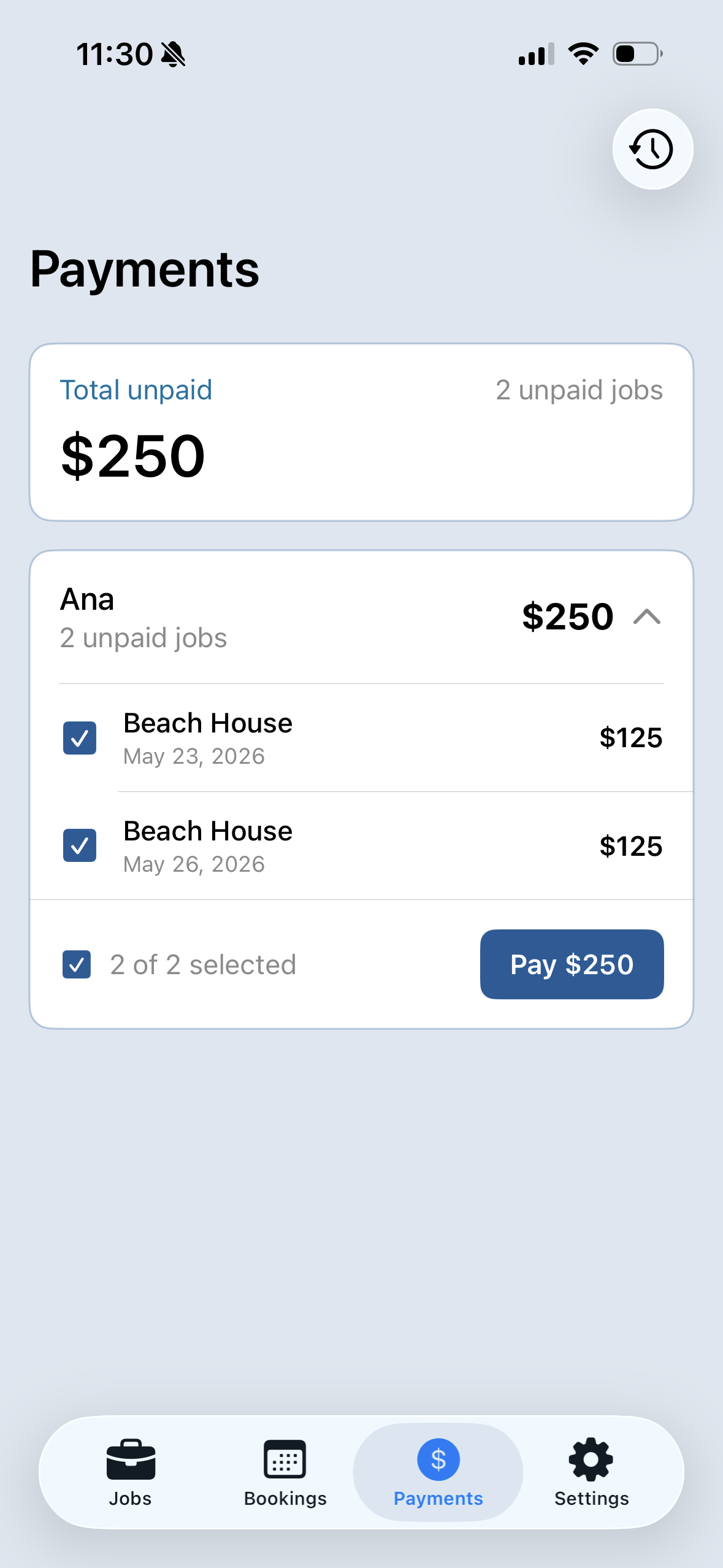
Pay Ana for the work
The job moves into the Payments tab as unpaid. Marco can settle up one cleaning, or roll several into a single payment. The ledger keeps itself.
A booking comes in
Ryan books Marco's Beach House for May 25–28. The Airbnb notification lands on Marco's phone, and Kathari quietly creates the cleaning job for the morning of May 28.
Ana receives and accepts
A push and a text both land on Ana's phone: a new cleaning at Beach House on May 26. She reviews the property, checklist, and pay; one tap accepts.
The cleaning happens
On the day of the cleaning, Ana gets a morning-of reminder. She rates how the guests left the place, flagging any damage with a photo, then works the checklist room by room with photo proof where required, and submits when done.
The report opens
A notification reaches Marco: "Ana finished cleaning Beach House." The report opens with the condition rating, any flagged issues, and a room-by-room photo walkthrough. All in one place. No follow-up texts. No "can you send pics?"
Pay Ana for the work
The job moves into the Payments tab as unpaid. Marco can settle up one cleaning, or roll several into a single payment. The ledger keeps itself.
A booking comes in
Ryan books Marco's Beach House for May 25–28. The Airbnb notification lands on Marco's phone, and Kathari quietly creates the cleaning job for the morning of May 28.
Ana gets the job
A push notification and a text both land on Ana's phone: a new cleaning at Beach House on May 26. Property, date, and time window at a glance; one tap opens the full details.
Ana accepts
Property details, the checklist, and what's required show up before commitment. Ana taps Accept; the job is locked in and Marco is notified.
Morning-of reminder
On the day of the cleaning, Ana gets a nudge: property, address, time, and a tap-to-start link so nothing slips through the cracks.
Arrives and starts
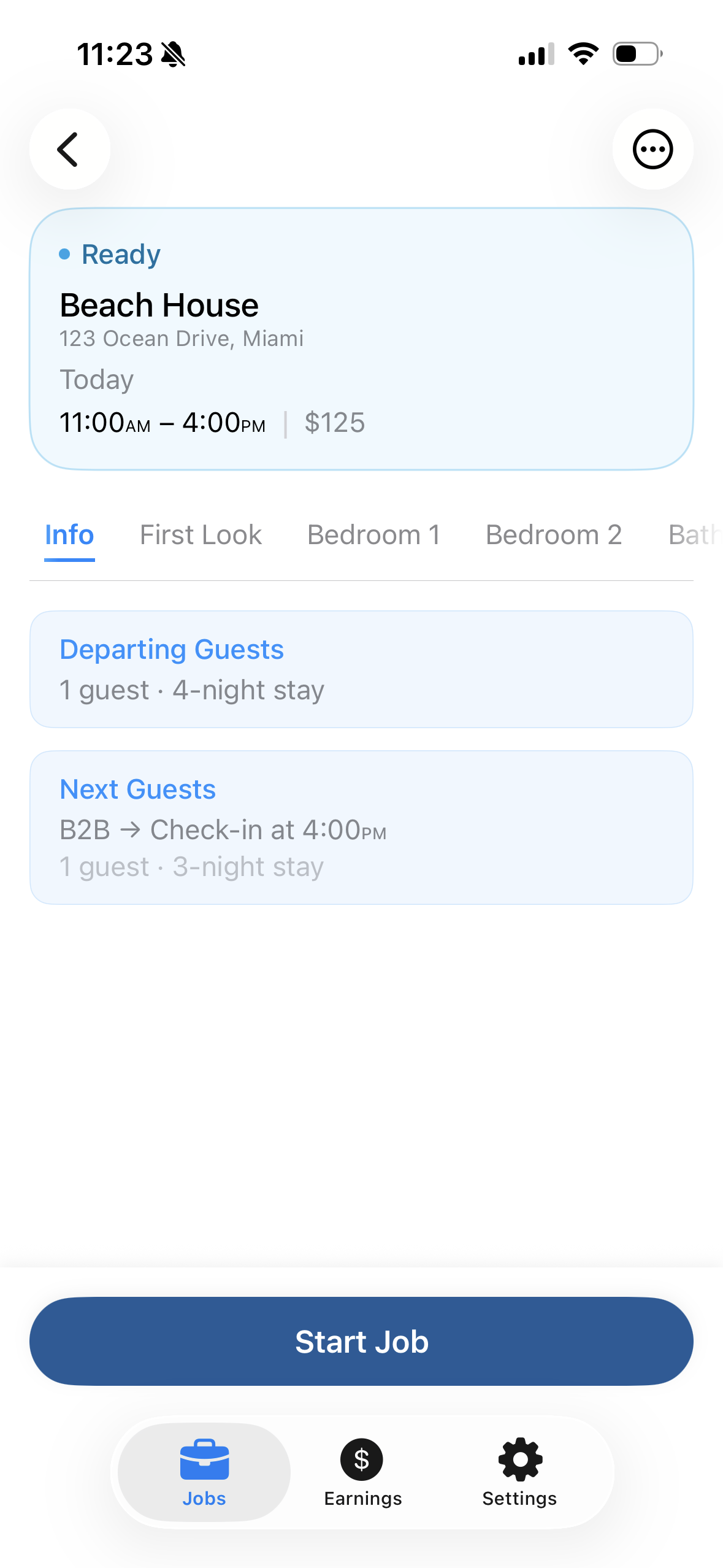
Ana arrives at Beach House and taps Start Job. Departing guests, next check-in, payout, and the full checklist sit on the screen.
Rates the condition
Before touching anything, Ana rates how the guests left the place. If there's damage or excessive mess, she snaps a photo and flags it. Both go into Marco's report.
Works the checklist
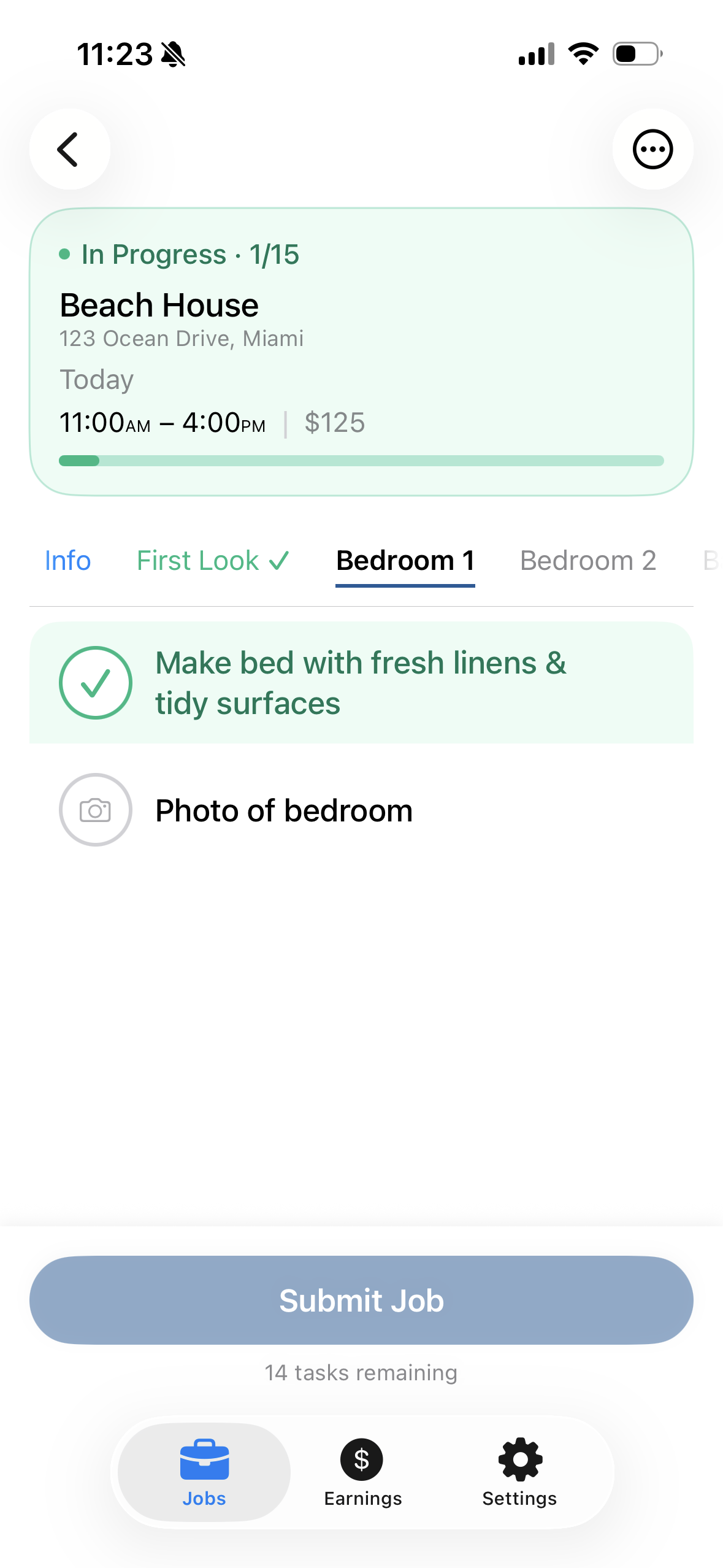
Room by room, task by task. Each tap checks one off; the progress bar fills as Ana goes.
Photo proof
Photo-required tasks need a snapshot before they're complete. Photos upload as Ana works: proof for Marco, and a record Ana can stand behind too.
Submits the job
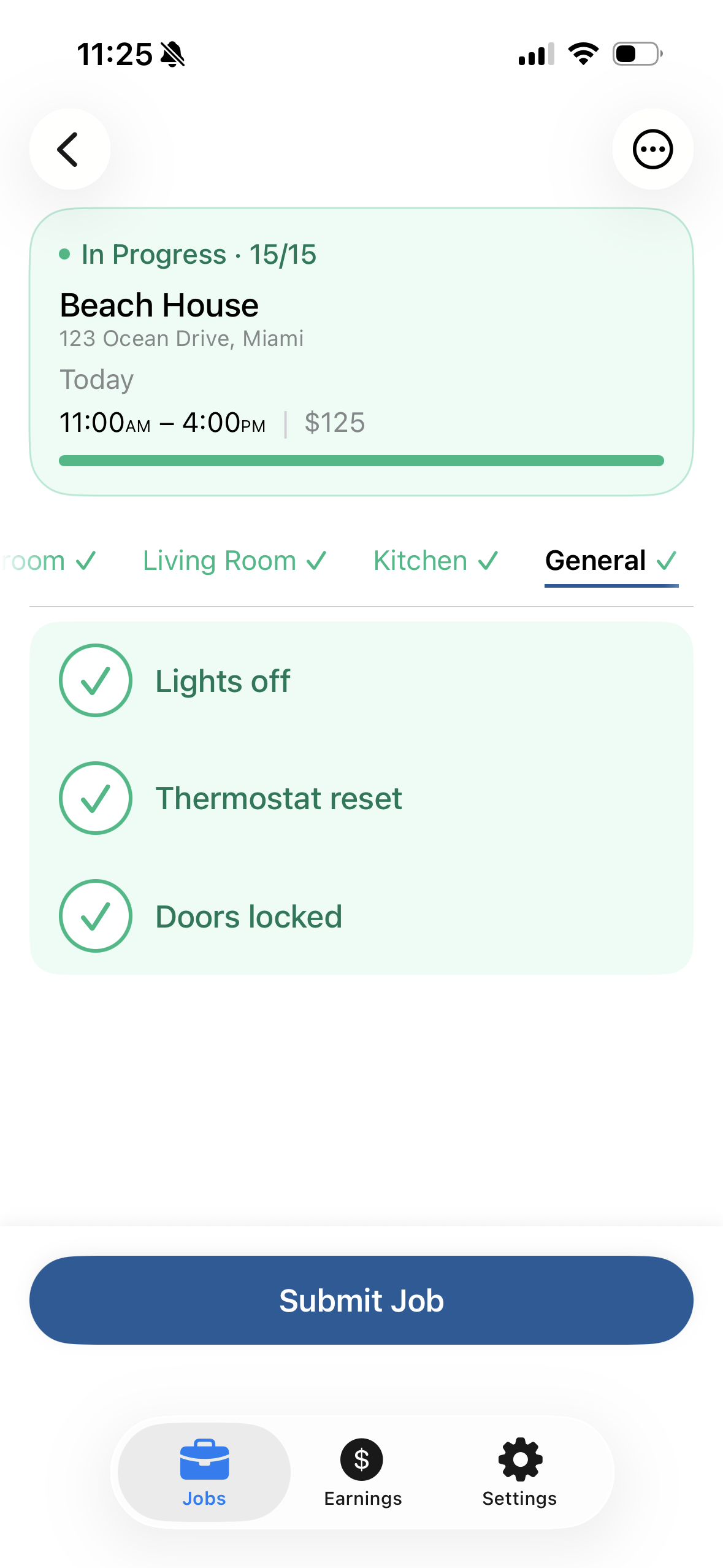
Last task ticked, Ana taps Submit. The job moves from In Progress to Completed, and Marco gets the next notification.
Marco hears the job is done
A notification reaches Marco: "Ana finished cleaning Beach House." Tap to see the report.
The report opens
Condition rating, issues, and a room-by-room photo walkthrough. All in one place. No follow-up texts. No "can you send pics?"
Pay Ana for the work
The job moves into the Payments tab as unpaid. Marco can settle up one cleaning, or roll several into a single payment. The ledger keeps itself.
A booking comes in
Ryan books Marco's Beach House for May 25–28. The Airbnb notification lands on Marco's phone, and Kathari quietly creates the cleaning job for the morning of May 28.
Ana gets the job
A push notification and a text both land on Ana's phone: a new cleaning at Beach House on May 26. Property, date, and time window at a glance; one tap opens the full details.
Ana accepts
Property details, the checklist, and what's required show up before commitment. Ana taps Accept; the job is locked in and Marco is notified.
Morning-of reminder
On the day of the cleaning, Ana gets a nudge: property, address, time, and a tap-to-start link so nothing slips through the cracks.
Arrives and starts
Ana arrives at Beach House and taps Start Job. Departing guests, next check-in, payout, and the full checklist sit on the screen.
Rates the condition
Before touching anything, Ana rates how the guests left the place. If there's damage or excessive mess, she snaps a photo and flags it. Both go into Marco's report.
Works the checklist
Room by room, task by task. Each tap checks one off; the progress bar fills as Ana goes.
Photo proof
Photo-required tasks need a snapshot before they're complete. Photos upload as Ana works: proof for Marco, and a record Ana can stand behind too.
Submits the job
Last task ticked, Ana taps Submit. The job moves from In Progress to Completed, and Marco gets the next notification.
Marco hears the job is done
A notification reaches Marco: "Ana finished cleaning Beach House." Tap to see the report.
The report opens
Condition rating, issues, and a room-by-room photo walkthrough. All in one place. No follow-up texts. No "can you send pics?"
Pay Ana for the work
The job moves into the Payments tab as unpaid. Marco can settle up one cleaning, or roll several into a single payment. The ledger keeps itself.
Your next cleaning. On Kathari.
Connect your Airbnb calendar in two minutes. The next checkout becomes a cleaning job, automatically. You'll have the report when it's done. 30-day trial, no credit card.
Already have a Kathari account? Sign in.